Have you ever looked at those small, colorful controllers on your Nintendo Switch joy con? Those are called the joy con. These little devices are actually packed with a lot of cool technology that makes gaming fun for everyone. Whether you are playing alone or with your best friends, these controllers are the heart of the system. They can slide right onto the side of your console, or you can take them off to share the fun. It is amazing how much power is hidden inside such a tiny piece of plastic! In this guide, we will explore every little detail about them so you can become a pro at using your Switch.
Understanding Your Joy Con Controllers
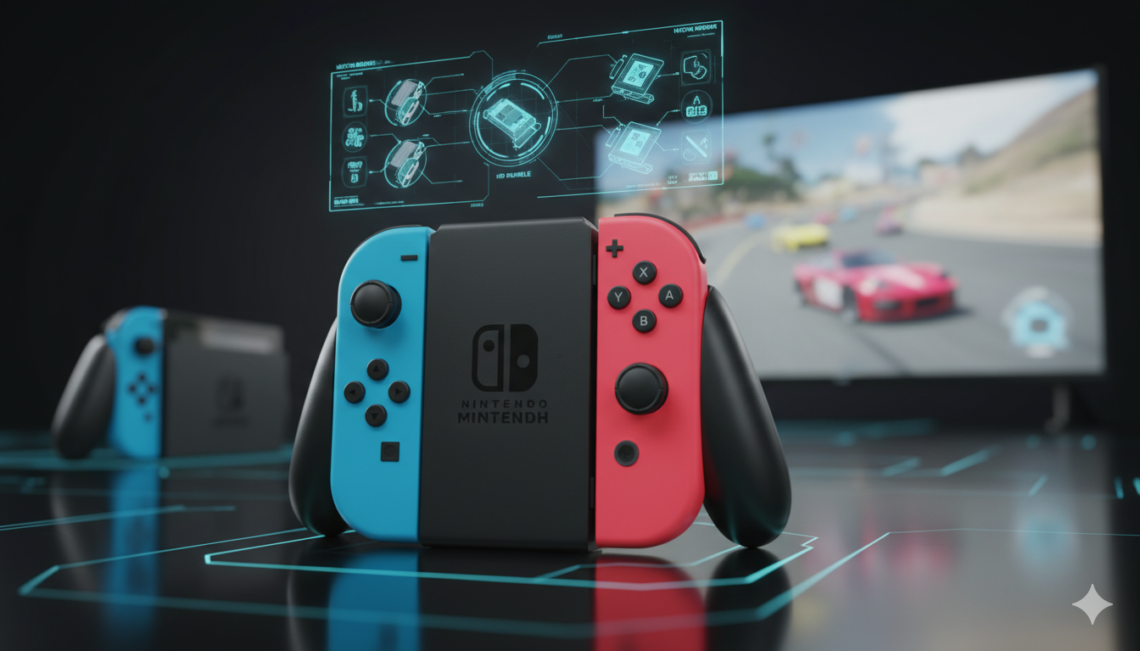
The joy con is not just one controller; it is actually a pair of them! You have a left one and a right one. Each side has different buttons that help you control your favorite characters. The left one has a minus button and a square button to take pictures of your games. The right one has a plus button and a home button to take you back to the main menu. When you hold them, they feel light and easy to move around. Many people love how they can fit perfectly into smaller hands, which makes them great for kids and adults alike. It is truly one of the most unique designs in gaming history.
Amazing Features Hidden Inside
Did you know that your joy con can feel things? They use something called HD Rumble. This means if your character walks on grass, the controller shakes gently. If they fall into water, it feels different! There is also a special motion sensor inside. This lets you swing the controller like a tennis racket or a sword. In some games, you can even use the right joy con to scan little toy figures called amiibo. It has an infrared camera on the bottom that can see shapes and distances. All these features work together to make your games feel much more real and exciting every time you play.
Sharing the Fun with Friends
One of the best things about the Nintendo Switch joy con is how easy it is to share. You can give one half to a friend, and suddenly you have two controllers! This is perfect for games like Mario Kart or Party games where you want to play together on one screen. You just turn the controller sideways, and it works perfectly. Even though it is small, it has all the buttons you need to win the race. Playing with others is a big part of what makes the Switch so special. It turns any room into a tiny arcade where everyone can join in and have a great time.
How to Attach and Detach Safely
Using your Nintendo Switch joy con is very simple once you know the trick. To put them on the Switch, you just slide them down the metal rails until you hear a “click.” That click tells you they are locked in and ready to go. To take them off, you must press the tiny round button on the back. While holding that button, slide the controller up. It is important to be gentle so you don’t hurt the rails. If you do it right, it feels very smooth. Always make sure they are clicked in tight before you start playing in handheld mode so they don’t slide off by accident!
Choosing Your Favorite Colors
Nintendo makes the joy con in so many bright and happy colors. You can find them in Neon Red and Blue, which are the most famous ones. But there are also Neon Green, Pink, Yellow, and even Purple! Some people like to mix and match their colors to show off their own style. You could have a blue one on the left and a yellow one on the right. There are even special versions for games like Zelda or Pokémon. Picking out a new set of colors is a fun way to make your Nintendo Switch look brand new and special to you.
Keeping Your Joy Con Charged
Your joy con needs power to work, just like a flashlight or a toy car. The easiest way to charge them is to slide them onto the Switch while it is plugged into the wall. They will soak up power and be ready for your next adventure. If you play a lot, you can also buy a special charging grip. This looks like a regular controller and keeps them full of energy while you play on the TV. A full charge usually lasts about 20 hours, which is a long time! Just remember to dock them at night so you never run out of juice in the middle of a big boss fight.
Dealing with Joy Con Drift
Sometimes, players notice that their character moves on the screen even when they aren’t touching the Nintendo Switch joy con. This is a common problem called “drift.” It happens when dust or wear-and-tear gets inside the joystick. If this happens to you, don’t worry! You can often fix it by cleaning under the little rubber flap with a cotton swab and some special cleaner. Nintendo also helps many people fix this for free in certain areas. It is always a good idea to keep your controllers clean and stored in a case to prevent dust from getting inside the moving parts.
Using Straps and Grips for Better Play
When you are moving your arms around, you should always use the joy con straps. These are the thin plastic pieces that slide onto the rails and have a string for your wrist. This keeps the controller from flying out of your hand and hitting the TV! There is also something called the Joy Con Grip. It holds both controllers together so they feel like one big, solid controller. This is very helpful for games that require a lot of fast button pressing. Using these accessories makes gaming safer and much more comfortable for long play sessions.
Comparing Joy Con to Other Controllers
The joy con is very different from the Pro Controller. The Pro Controller is bigger and shaped like a traditional gamepad. While the Pro version is great for long games, it doesn’t come apart like the joy con does. You can’t use a Pro Controller for motion games like Ring Fit Adventure. The joy con is much more versatile because it can be two controllers, one controller, or part of a handheld system. Most families find that having both types of controllers is the best way to enjoy everything the Nintendo Switch has to offer.
Complete Detailing Table
| Feature | Details |
| Battery Life | Approximately 20 Hours |
| Charge Time | About 3.5 Hours |
| Weight | ~49g (Left), ~52g (Right) |
| Connectivity | Bluetooth 3.0, NFC (Right side) |
| Sensors | Accelerometer, Gyroscope, IR Camera |
| Vibration | HD Rumble (Multi-linear) |
| Compatibility | Nintendo Switch, Switch OLED, Switch Lite (via Bluetooth) |
Frequently Asked Questions
Can I use Joy Con on a Nintendo Switch Lite?
Yes, you can! Even though the Switch Lite has its own buttons, you can connect extra joy con controllers through Bluetooth. This is helpful if you want to play games that need motion controls.
How do I know if my controllers are charging?
You can check this on the main menu of your Switch. Click the “Controllers” icon, and it will show a small lightning bolt next to the joy con if they are getting power.
Why is my Joy Con not connecting?
Sometimes they just need to be synced again. You can slide them onto the console or press the small “Sync” button on the rail of the controller to help them find the system.
Can I play with Joy Con on my PC?
Surprisingly, yes! Because they use Bluetooth, you can connect your joy con to a computer or a phone. However, they work best on the Nintendo Switch system they were made for.
Are the Left and Right controllers the same?
No, they are different. The right joy con has the NFC reader and the IR camera. The left one has the Capture button to take screenshots and videos of your gameplay.
What is the best way to clean them?
Use a soft, dry cloth to wipe the outside. If they are very dirty, a slightly damp cloth works, but never get water inside the buttons or the charging ports.
Conclusion: Ready for Adventure
The joy con is a tiny piece of magic that makes the Nintendo Switch one of the best consoles ever made. From its bright colors to its smart sensors, it offers so many ways to play. Whether you are racing friends or exploring a big fantasy world, these controllers are your best tools. Just remember to keep them charged, use your wrist straps, and treat them with care. Now that you know all the secrets, it is time to grab your favorites and start playing! What is your favorite color combo? Go ahead and share the fun with someone today!